Everything Replaybook does.
The details, part by part. The short version is on the home page.
Replay the session one candle at a time, with nothing to peek at.
Every timeframe is built from the same 1-minute candles, so the candle that's still forming is exact on 5m, 1H or daily, and nothing jumps when you switch. It runs on your own PC and keeps every month of candles it loads, so the replay reads from your disk, not from a website.
Trade it as if it were happening now
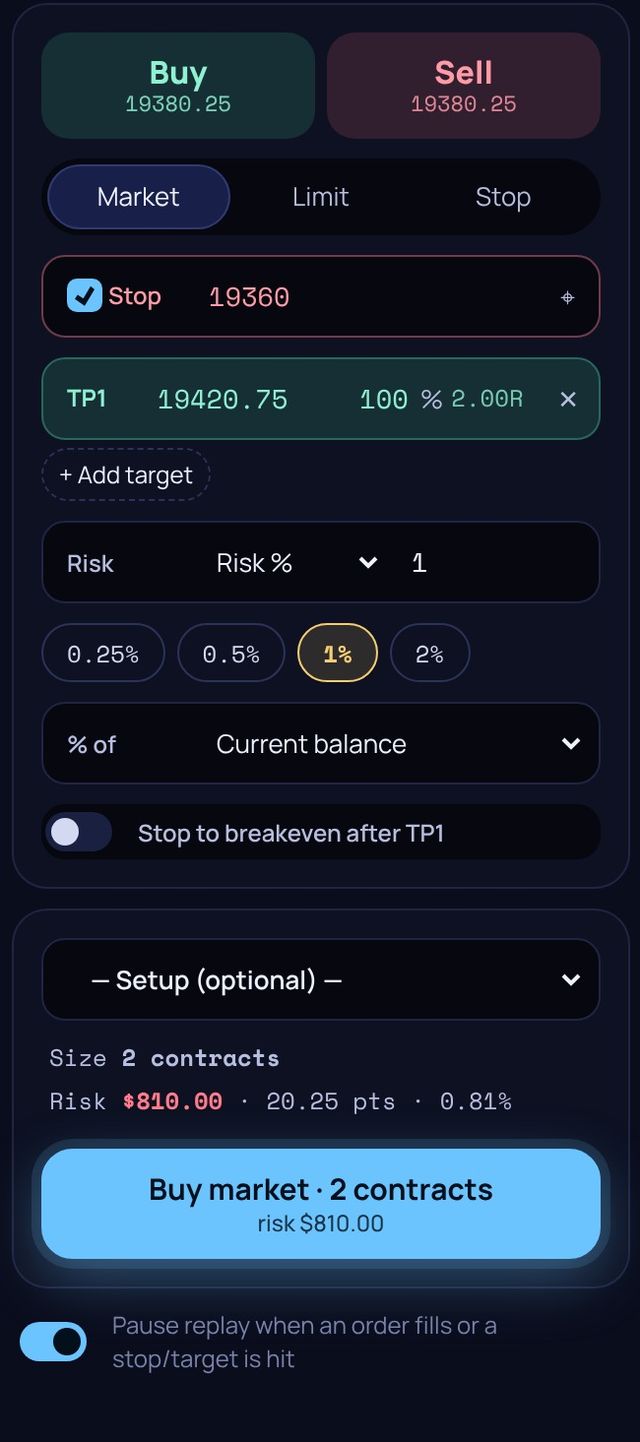
Step one candle or one minute, step back to try again, or press play at the speed you like. Jump to the Asia, London or New York open, the next day or the next red-folder news, and let the replay pause when your order fills or just before the news.
- Market, limit and stop orders, a stop and several targets, and stop to breakeven after the first target
- Slippage in ticks for futures, spread for forex, and a stop the market gaps past fills at the open
- NQ and ES on the CME day from 18:00 New York, RTH or full session, roll dates marked
- News on the chart, with the actual number hidden until the release
- Up to 4 charts side by side, synced to the replay time Pro
Days you can't remember
If you know how the day ended, it isn't practice. The New backtest window asks what kind of practice you want, step by step, and remembers your choices, so next time it's Next, Next, Create.
- Tick the weekdays you trade, and the replay skips the rest
- Random day jumps to a day of this backtest you haven't replayed yet
- Hide the date on the clock, the time axis, the news and the chart pictures
- NormalYou pick the market and the day.
- RandomReplaybook picks a market from the ones you tick, and a day with enough history before it.
- BlindA random day, and the date stays hidden while you trade.
- Chart onlyLook and draw without trading, to mark up your levels.
- Prop-firm challenge ProAn evaluation under its limits, until you pass or fail.
Practise an evaluation under its limits. Pro
Set the rules of the evaluation you're preparing for and trade it day by day in replay. Replaybook checks every limit along every candle, the same way it checks your stops. Break a rule here and it costs you nothing.

The limits, live on screen
While you trade you see the target, the max loss left, today's room before the daily limit and your trading days so far. Hover a part for a plain-English explanation.
- Break a limit and your trades close at that price, like a market order, and waiting orders are cancelled
- No going back: time only moves forward (tick practice mode if you want it)
- Pass, and keep going in the same backtest as a funded account, or start the next phase of a two-step evaluation
- Fail, and start a new attempt from the moment it ended
The rules you can set
Target and minimum days
Pass when your closed profit reaches the target on enough trading days, with an optional best-day (consistency) rule.
Max loss, three ways
Static, end-of-day trailing or intraday trailing, and the level where a trailing max loss stops rising.
Daily loss limit
A fixed amount or a % of the day's start. Reaching it pauses you until the next day, or fails the challenge.
Max contracts
Open trades and waiting orders count together, and micros (MNQ, MES) have their own limit.
Closing time and time limit
Trades close at the firm's daily closing time, and a time limit can end the attempt.
Your rules or a preset
Type them in, or start from a preset that copies a firm's published rules, with the date they were checked and a link to the firm's page.
Results are simulated and don't guarantee a pass. Some firm rules, such as payouts and news-trading restrictions, aren't simulated, and firms change their rules, so check your firm's current rules. Replaybook is not affiliated with any prop firm.
A journal that keeps the picture of every trade.
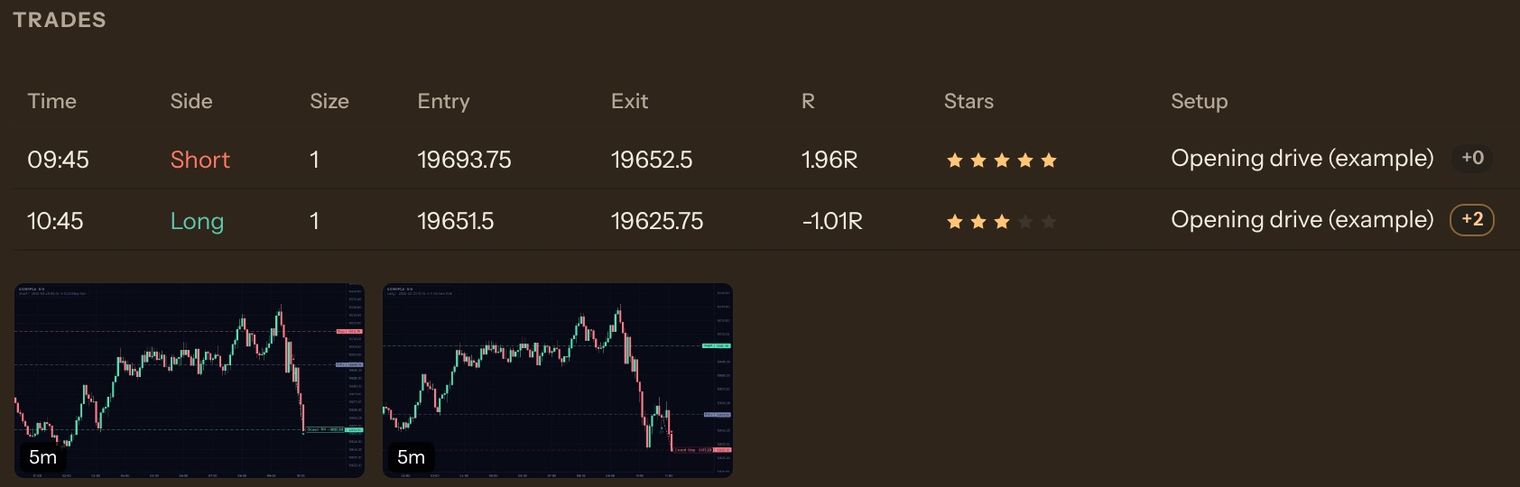
Every trade lands in your journal with its entry, exit and stop moves, and a picture of the chart framed on it. You add the thinking: the plan, the review and how well you executed.
Your days, your trades, your words
A calendar of your days, colored by result, or by rules followed once you use the checklist. Each day holds your pre-market plan, your review and a rating, and every trade keeps its chart.
- A picture of each trade, saved when it closes and framed on that trade (wider candles on bigger timeframes), stamped with the symbol, timeframe and times. Add it in any of your timeframes with one click
- Pictures for days without trades too
- Tags for your mistakes and for what you did right, and a star rating for how well you executed
- A list of every trade you can filter (stars, setup, mistakes, weekday, R…), sort by any column and lay out with your own columns
- Notes with bold, colors and lists, and templates for your daily routine
- Export every trade to a CSV file for Excel or Google Sheets
- Your backtests, journal, pictures and Playbook sync between your two devices, such as a desktop and a laptop
Stats that answer real questions
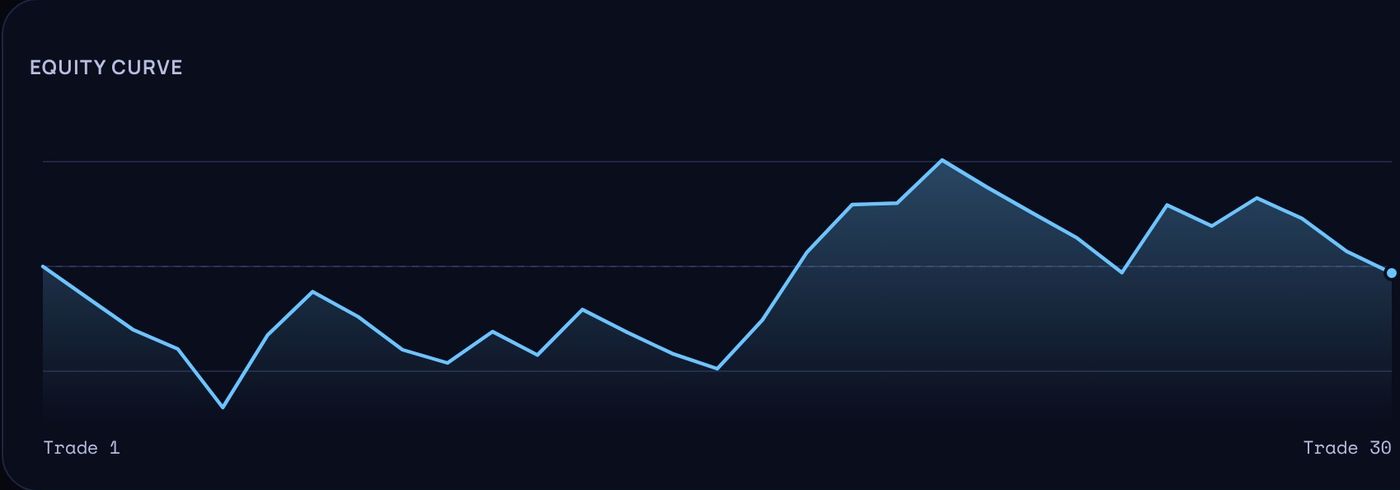
Win rate, profit factor, expectancy, average R, drawdown and your equity curve. Switch to R and NQ, ES and forex compare fairly, whatever the position size.
- Results by setup, weekday, hour, market session and long or short
- What each mistake cost you, and what each "done right" earned
- One backtest, or all of them together
- Filters for setup, session, weekday, long or short, rules followed and dates Pro
Days without trades, and entries you missed
Review each day from three seats: what the market did, what you did as the trader, and what the observer in you noticed, then one thing to keep. A day you stood aside counts as reviewed once you say why.
- Cancel a limit order the market never reached, once it has waited at least one candle, and Replaybook keeps it as a missed entry: how close price came, and how far it went your way
- Add a missed entry by hand on any day, in a backtest or a live account
- Reasons for standing aside, on purpose or not, or your own words
- "Followed my plan", yes or no, sits in the trader's seat
Practice you'll actually keep up.
Replaybook counts your practice: days replayed, trades that followed your rules, reviews written and Daily challenges finished. Profit never earns anything, so a loss that followed the plan still counts.
A checklist before every trade
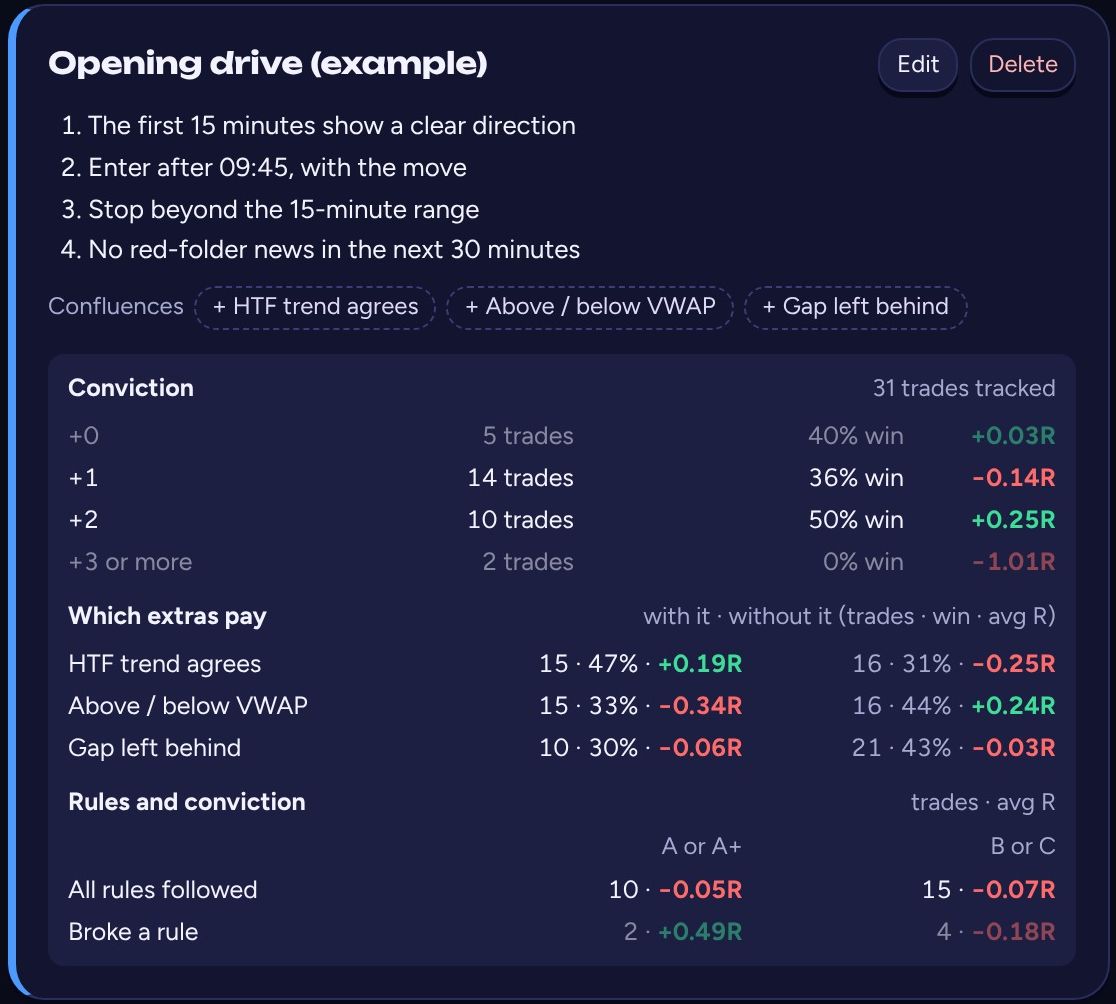
Write each setup and its rules once in the Playbook. Before every trade, pick the setup in the Trade panel and tick its rules. In Studio, Quest, Nebula, Clarity and Dojo the order button waits, saying how many rules are left, until every rule is ticked. You can still place the order, but only a trade with every rule ticked counts as following the plan.
- When a trade closes, you see its result and whether it followed the plan, win or loss
- Each setup shows its win rate, net P&L and average R, with all rules followed vs broke a rule side by side
- Optional confluences, like "HTF trend agrees" or "In a killzone": tick the ones that are there, and the Playbook shows whether trades with more of them did better. They never block an order and never count as a broken rule
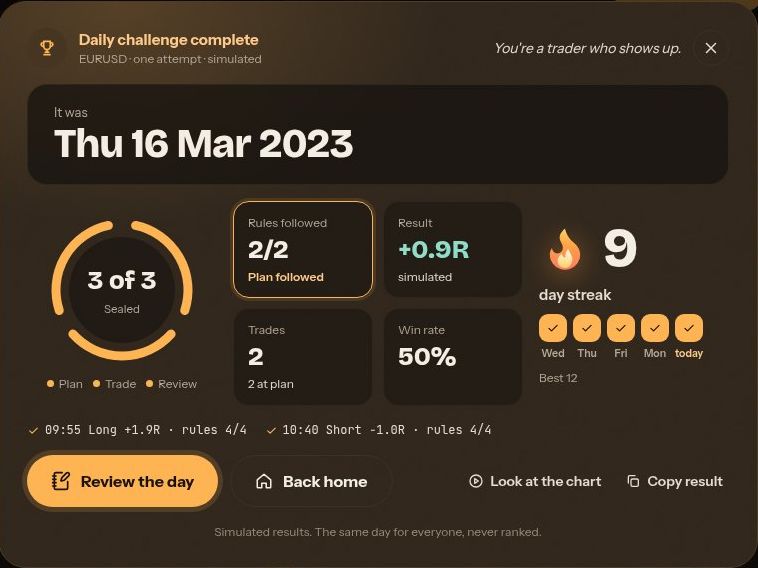
The Daily challenge
Every day there's one trading day from the past, the same for everyone. Pick your market and press Start: NQ or ES, whose candles load by themselves, or a free forex or index market.
- The date stays hidden until the day is over
- 07:00 to 16:00 New York, one trade at a time, every trade risks 1% with a stop
- No going back, like trading live
- Then your result, the real date and your day streak, with Copy result to share it in Discord
- One attempt a day. It's free even without a subscription (on the free forex and index markets), and it doesn't count toward the Replay plan's 3 backtests
Streaks, ranks and levels
In Studio, Quest, Nebula and Dojo, your practice streak counts the days in a row you practised, and a weekend off never breaks it. When a replay day with trades ends, a Day done card shows its trades, the rules kept and the R, with a button to write your review.
Your practice record is a small file in your Replaybook folder, on your PC.
- Studio: a calendar of your last 20 weeks and a practice rank, from Newcomer to Master
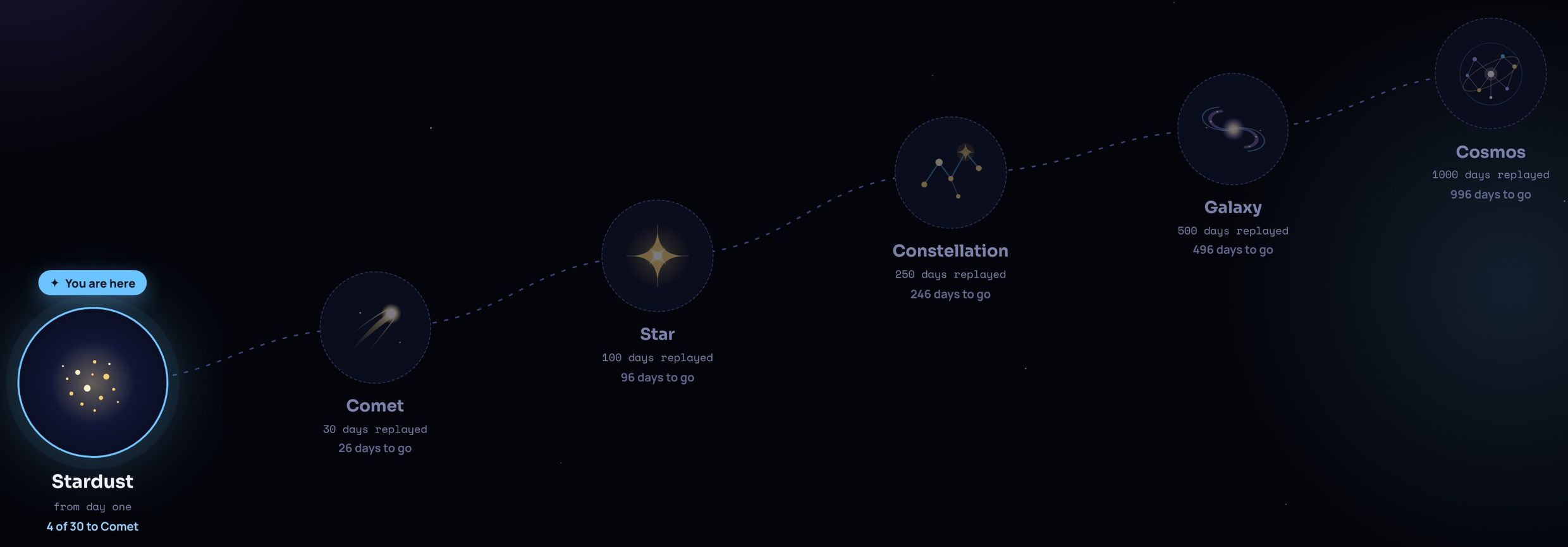
- Nebula: your practice as a sky of stars, and six ranks from Stardust to Cosmos
- Quest: a trader level with XP, today's quests and achievements
- Dojo: belts from white to black for the days you replay, seals for how you practise, and a practice book in ink
- Clarity keeps it quiet: no ranks or pop-ups, just your week and your journal
- Ranks and belts grow with the market days you replay, the same steps in every look that has them: the second at 30 days, then 100, 250, 500 and 1,000. Profit never moves them
- Milestones along the way, each celebrated once
The drawing tools you already use, and a few you'll wish you had.
If you draw on a chart platform today, the tools, keys and right-click menus will feel familiar.
ICT tools
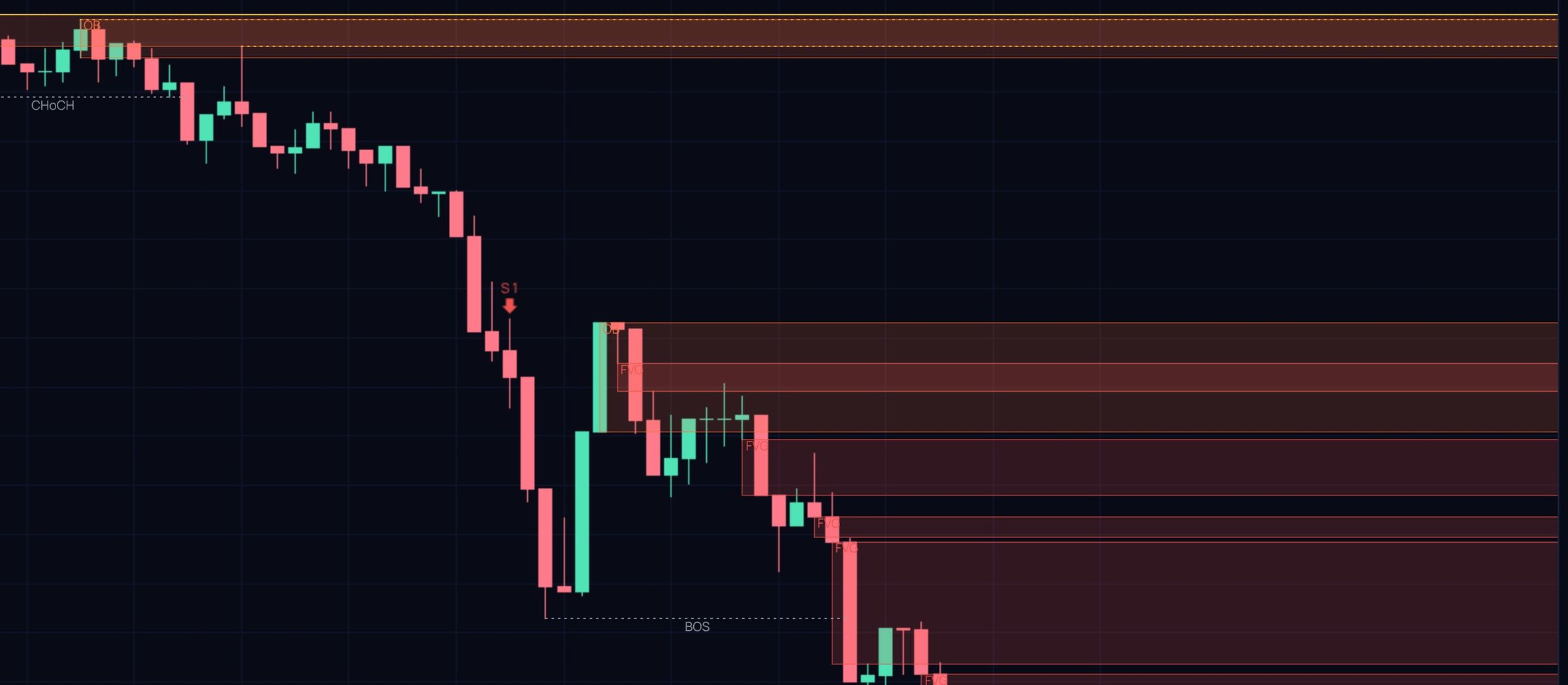
Fair value gaps (also from a higher timeframe), order blocks, break of structure and change of character, liquidity with equal highs and lows, opening prices, session sweeps and last week's levels. Only finished candles make a pattern, so nothing appears early.
Long and short positions
Drag out stop and target, see R:R and dollars, size the box by risk %, risk $ or contracts (lots for forex), and place the order in one click.
Close from the chart
Every open trade and waiting order has a chip at its price with a ✕ to close or cancel it.
Your tools on the chart
Star the tools you use most. They float in a small bar that you can drag anywhere on the chart.
Fibonacci, your way
A color and fill for every level, CC lines between chosen levels, and templates that remember all of it.
Zones with a middle line
Rectangles for order blocks and gaps, with the 50% line (CE) and your own label.
Alert lines Pro
An alert line pauses the replay when price reaches it, so you never skip past your level.
Measure anything
Hold Shift to measure points, ticks, percent, dollars per contract, candles and time.
Sessions and indicators
Asia, London and New York boxes, session VWAP, EMAs and SMAs, previous day high and low.
Red-folder news
Import the calendar once. News shows as lines on the chart, numbers only after the release. Jump to the next release, or pause before it, and right-click a line to copy the news.
Draw freely
Text, arrows, up and down marks, a brush and a see-through highlighter. They stay on the right candles when you change timeframe.
Templates and magnet
Save a style once and reuse it. The magnet snaps to highs, lows, opens and closes.
Your chart, your way
Candles, hollow candles, bars or a line. A chart preset for every look, a clean one with no grid, your own saved presets, and see-through bodies, borders and wicks if you like them softer. Ctrl+Z undoes any drawing change, and L locks the chart so a click can't move it.
Your real trades, in the same journal.
The Live part of Replaybook reads the trades of your real accounts into the same journal and stats you use for practice, and shows live charts from a data source you already have. It never places an order.
Connect an account, or bring a file
Your trades arrive with entry, exit, fees and result, grouped into days, ready for notes, setups and pictures. Syncing never overwrites what you wrote. Every real trade gets a chart picture, framed like a replayed one.
Replay plan: 1 live account. Pro: up to 3. Live accounts are real money, so Replaybook shows them plainly: no streaks, sounds or rewards for profit.
- MetaTrader 5 and cTraderThrough the free Replaybook Bridge add-on: it writes your trades to a file on your PC and can't trade.
- TopstepXWith your own API key, synced every minute. The key stays on your PC.
- A fileFrom Tradovate, NinjaTrader, TopstepX, R|Trader, an MT5 report, or any CSV with a column mapping.
Live charts with your own prices
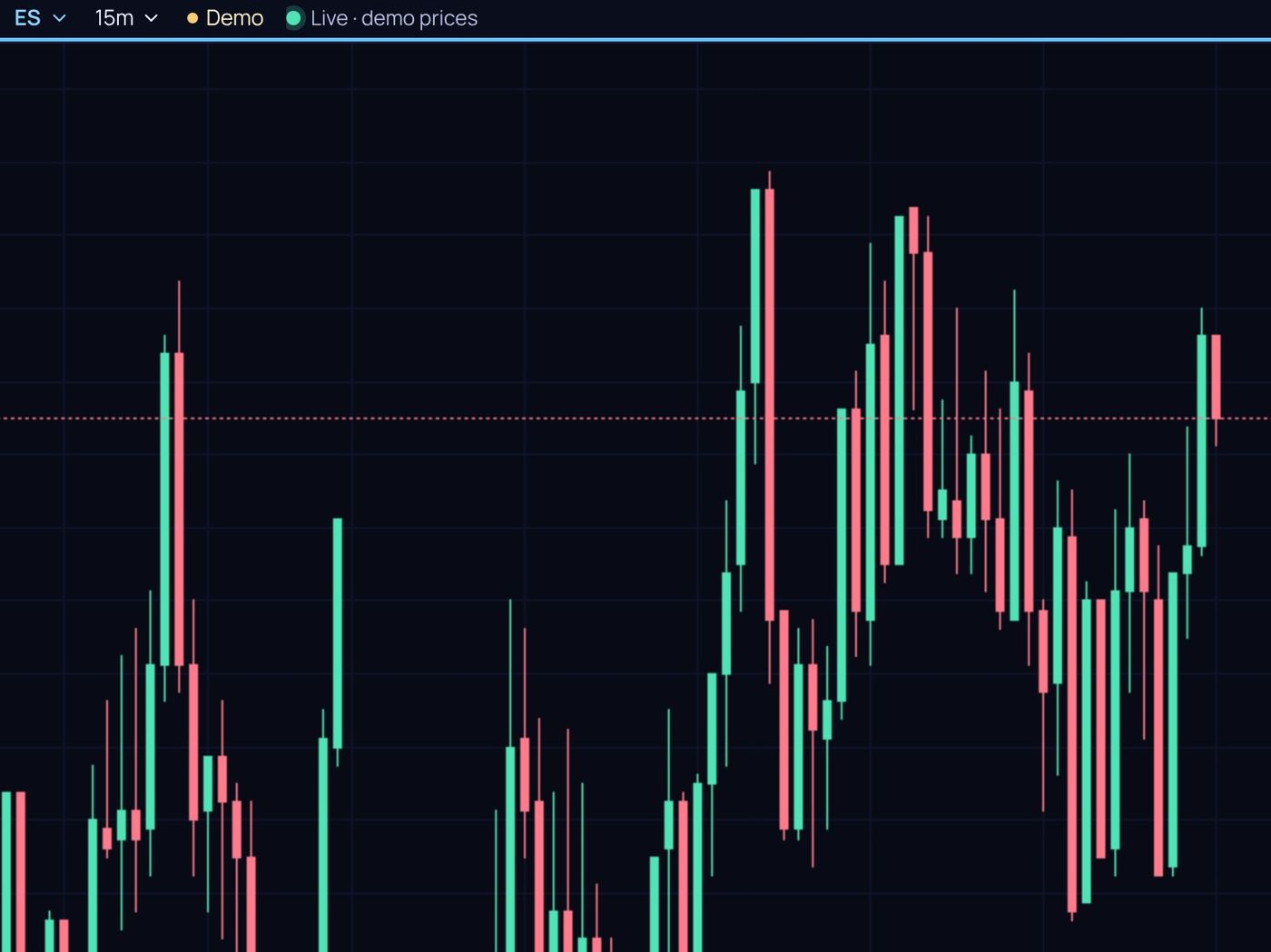
NQ, ES, MNQ, MES, GC and more from 1 minute, with the replay's drawing tools, alert lines, the ICT tools and your real trades marked on the chart. Up to four charts side by side, each with its own market and timeframe.
- Prices from your TopstepX account or your MT5 / cTrader broker, or clearly labelled demo prices
- Every timeframe built from the same 1-minute candles
- Drawings kept per market, with undo and redo
Replaybook doesn't sell market data: every live price comes from an account that's already yours.
Pick the look you'll want to open every day.
Classic, the default, is plain and still. Studio, Quest, Nebula, Clarity and Dojo are separate designs, each with its own Home, replay screen, journal and result screens. Switch any time in Appearance: your backtests are saved first and nothing is lost.
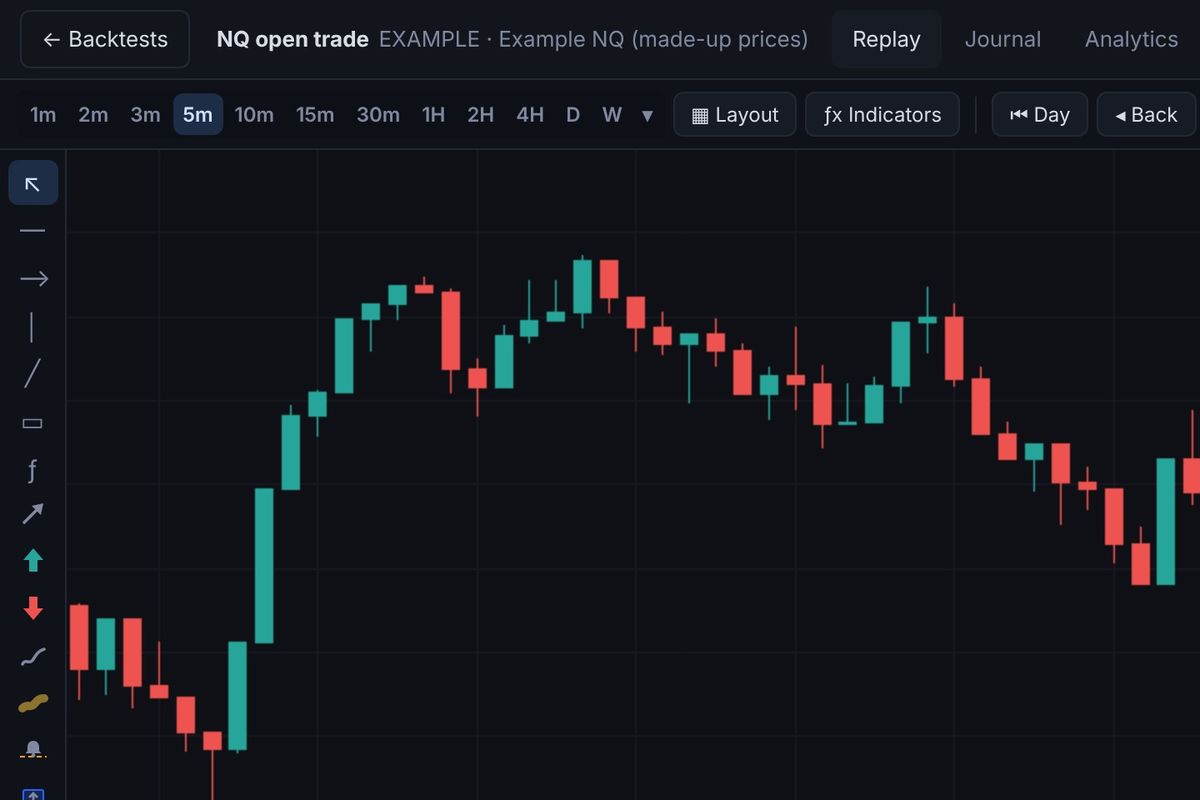
Classic the default
The original Replaybook screens, like a classic trading platform: plain, dense and still.
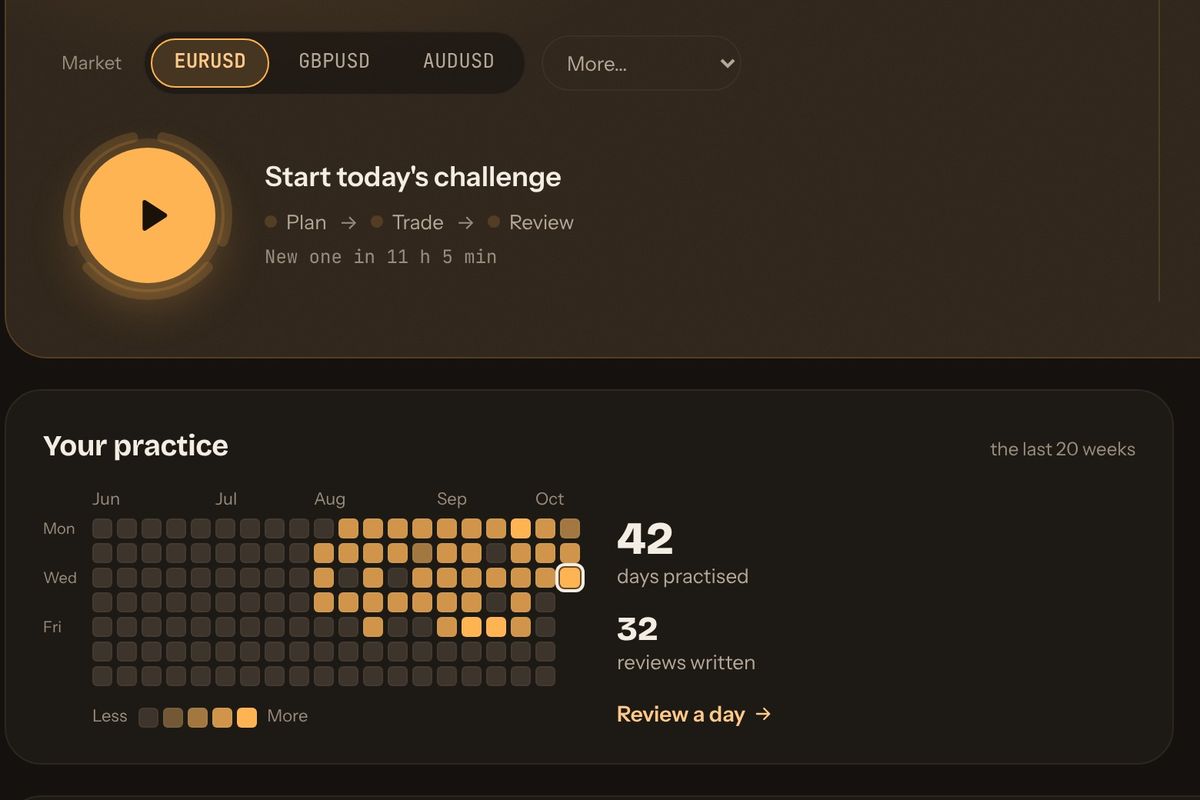
Studio
Warm dark with an amber accent and soft cards. Home opens with today's Daily challenge, your practice calendar, your rank and your backtests.
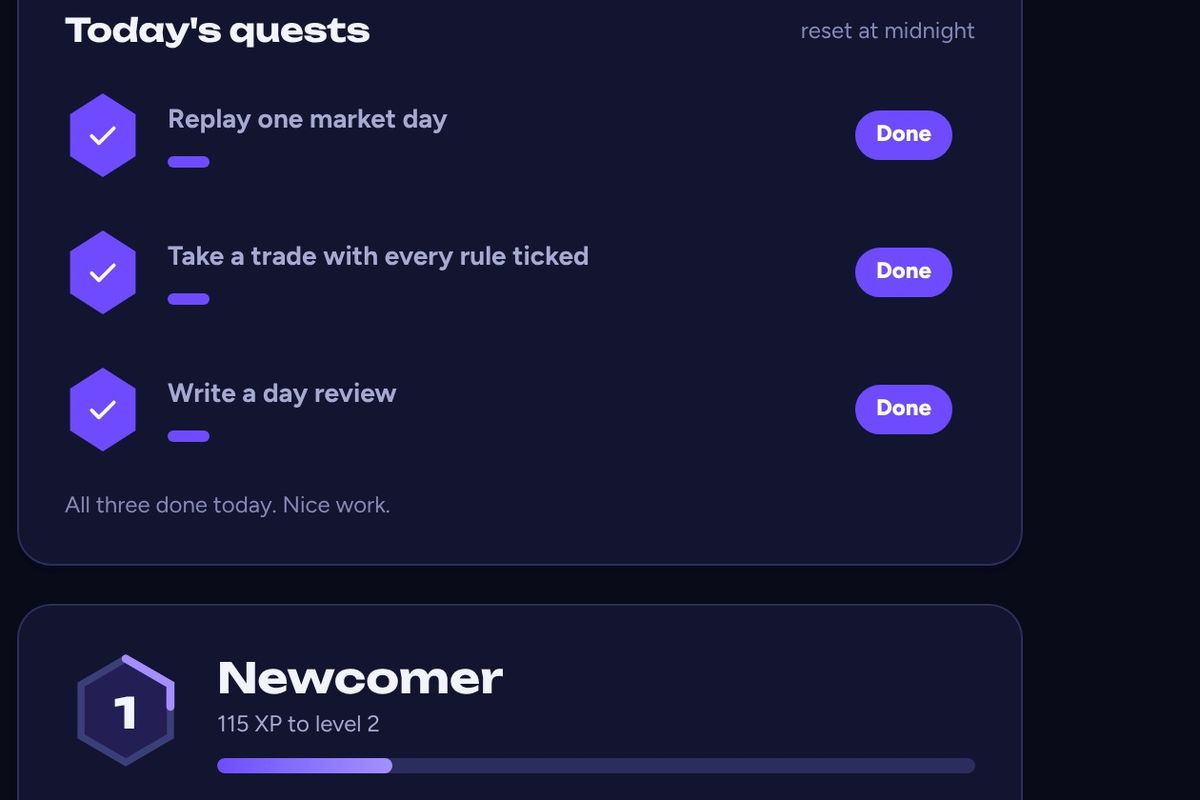
Quest
Deep ink and violet, chunky buttons, and a level crest with an XP rail on every screen. Home lists today's quests; in a prop-firm challenge the limits show as health bars.
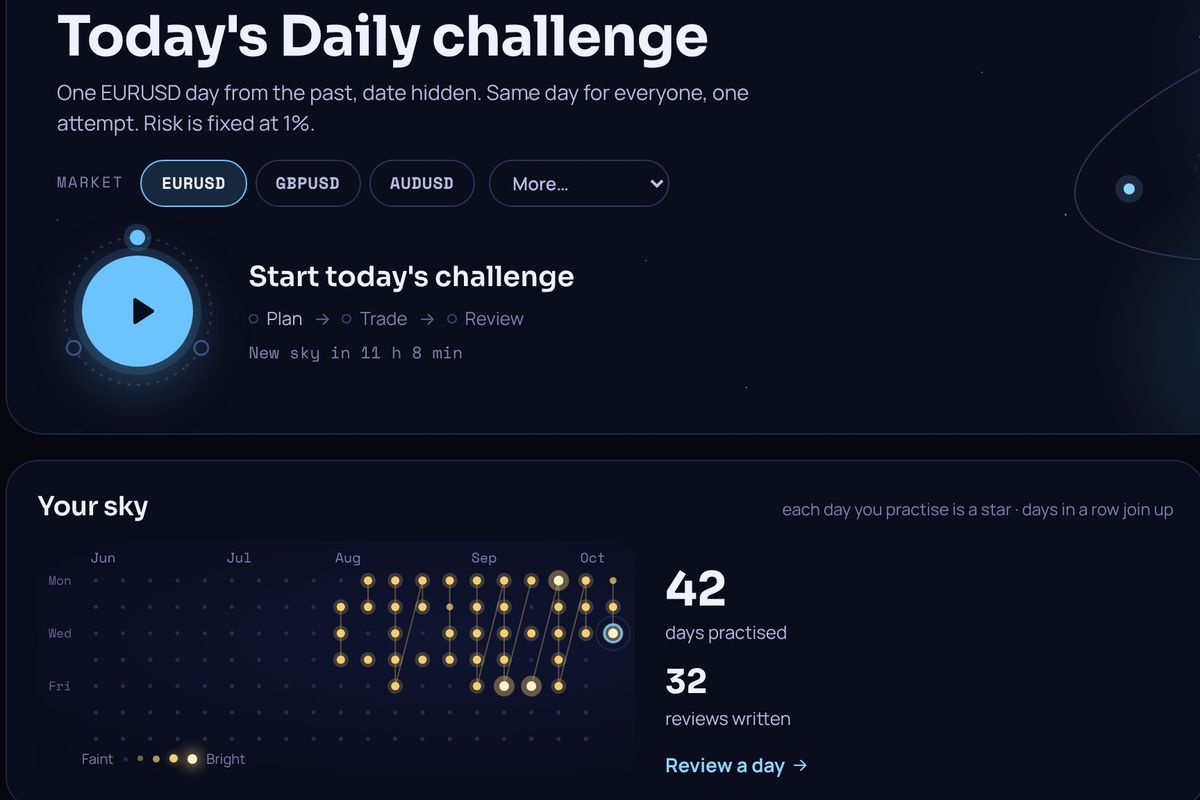
Nebula
Deep space with ion blue and gold stars. Your practice shows as a sky of stars, days in a row join into constellations, and your rules light up as stars while you trade.
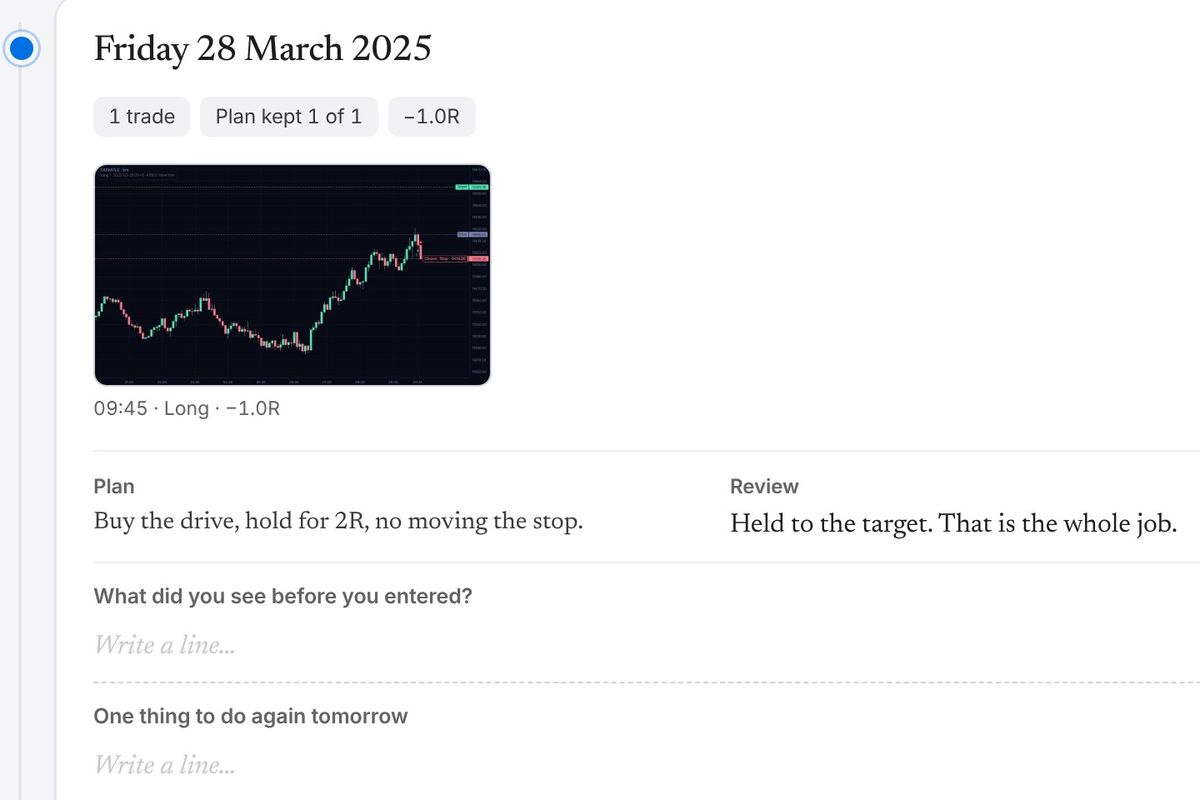
Clarity new
Calm and clear: a slim toolbar, white cards, one blue accent, light or dark with your computer. No games. The journal becomes a timeline of your days with a few gentle questions after each one, and Your week sums it up.
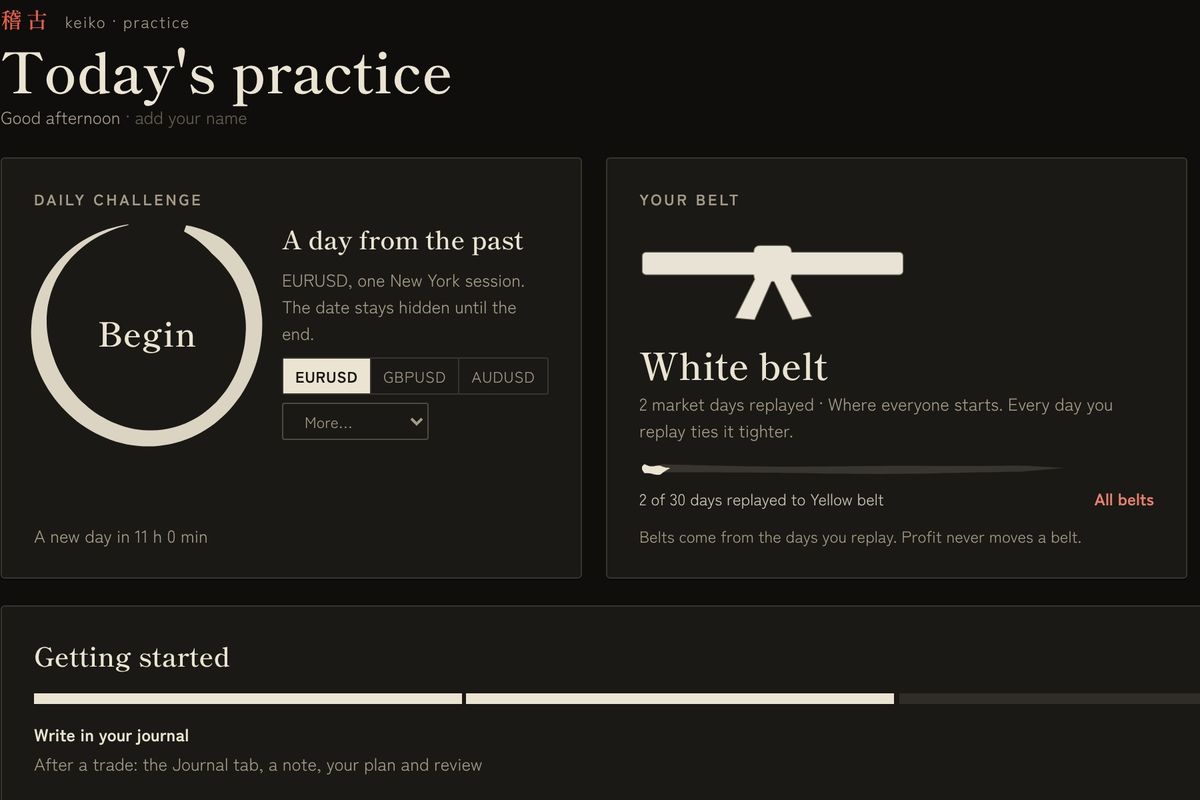
Dojo new
Washi paper by day, night ink after dark, one red seal colour. Candles in moss green and seal red, belts from white to black for the days you practise, and a 守 seal stamped on every trade that kept the plan. A nod to Dojima, Osaka, 1730, where candle charts began.
Accent colors
Amber, violet, blue, teal, rose, ion, azure or vermilion, or keep the style's own. Clarity and Dojo come in light and dark: follow your computer, or pick one. A chart you never changed follows the look.
Animations: Full or Calm
Small moments when an order fills or a trade follows the plan. Calm keeps the screens still, and follows your computer's reduce-motion setting.
Sounds
Off, Quiet, Normal or Loud: a tick for each rule, a chime when all are ticked, fills, targets and stops. Nebula plays soft glowing tones, Clarity soft glass taps and small chimes, Dojo wood blocks, bamboo, a koto and a singing bowl. One click on the replay screen mutes them.
Studio, Quest, Nebula, Clarity and Dojo also get Focus (the chart takes the whole width), the order button that lights up once every rule is ticked, and your streak, rank or level and milestones on Home. Classic keeps its original screens, without animations, and its sounds start off.
Less than the usual two-tool setup.
Many traders pay for a chart platform to replay and a separate journal to log trades. Replaybook does both in one app, with prop-firm practice on Pro.
The usual setup
$29–159 / month
- A chart platform plan with intraday replay
- A separate journal subscription
- Trades copied or imported by hand
Replaybook
$15–39 / month
- Replay and journal in one app
- Every replayed trade lands in your journal with its chart
- A Daily challenge and practice streaks included
- Founding price from $15 a month, kept while you stay
- Yearly plans from $130
| Feature | Replaybook | Chart platform replay | Journal apps | Web replay tools |
|---|---|---|---|---|
| Replay the market candle by candle | Yes | Yes, history depends on the plan | Some | Yes |
| Replayed trades in your journal | Yes, with chart | No | Imports trades from your broker | Some |
| Practise a prop-firm evaluation with its limits | Yes (Pro) | No | No | Some |
| Futures P&L in ticks and $ per contract | Yes | Yes | Yes | Some, futures often cost extra |
| Setup rules checklist before each trade | Yes | No | Some | Varies |
| Runs on your PC, data stays with you | Yes | Cloud | Cloud | Cloud |
| Typical price per month | $15–39 | $13–60 | $16–99 | $13–35 |
Based on the public plans and list prices of popular tools in each category, checked September 2026. Features and prices of other products change; check their websites.